Generative content pipelines
Automate content creation from LLMs and AI agents, then publish seamlessly across platforms without manual intervention.


Publish and schedule social media posts directly from n8n with a single node that actually survives production workflows.
One node and one payload per publish. Postproxy carries platform differences, rate limits, and retries so your workflow graph stays straightforward.
Postproxy is designed for people who automate systems. It is not another UI tool. It is a publishing primitive you can drop into production-grade n8n workflows. Generate content, enrich it with AI, upload assets, decide where to publish and let Postproxy handle the final mile.
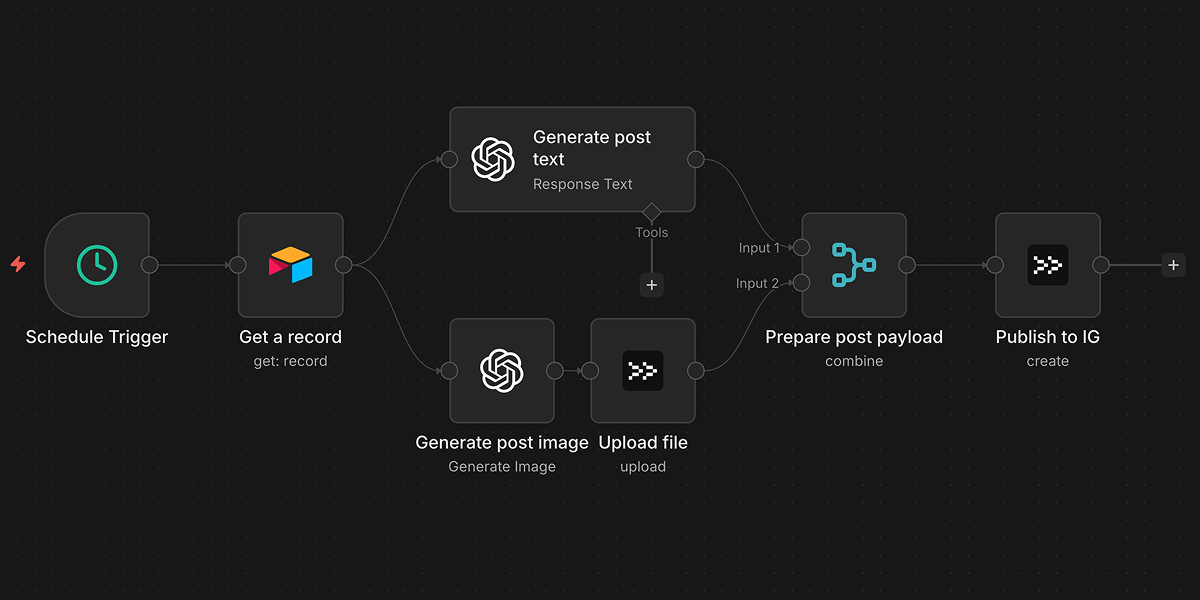
Content moves from source to social accounts in one pipeline, with Postproxy handling each network end to end.
If it fits into an n8n workflow, it can be published:
Automate content creation from LLMs and AI agents, then publish seamlessly across platforms without manual intervention.
Connect your content management system to social media. When content is published in your CMS, automatically share it across networks.
Manage multiple social media accounts and brands from a single workflow. Route content to the right accounts automatically based on your rules.
Automate product launches and updates. Trigger announcements from your release pipeline, CI/CD, or version control system.
Generate localized versions of the same post using AI. Publish each language to the correct accounts based on simple routing rules.
Collect internal updates, changelogs, or blog posts. Generate a weekly summary and publish it to multiple social channels without manual editing.
RSS, CMS, Airtable, AI, webhooks. If n8n can produce the content, Postproxy can publish it.
One node receives a single payload and applies it across every selected profile, keeping your workflow linear.
Platform quirks, validation rules, rate limits, retries and scheduling are handled outside your workflow.
Success, partial success and failure are reported explicitly. So you can retry, alert, log or react with intention.
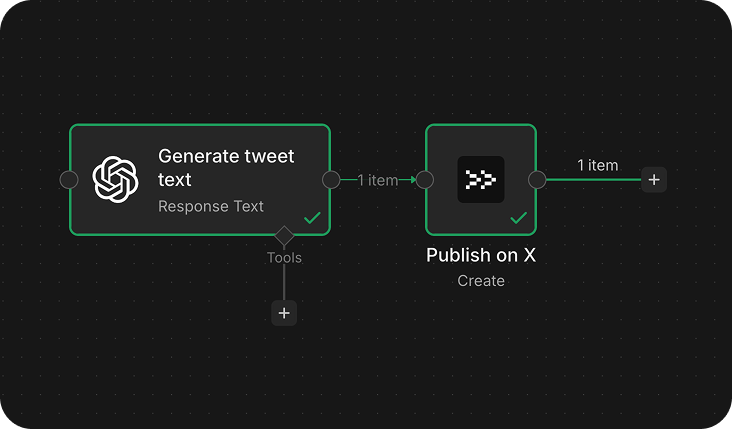
Postproxy has a verified node on n8n — built and maintained by us, reviewed by n8n. It follows n8n conventions for credentials, resources, and operations.
Automatically publish new blog posts or news items to social media
Manage your content calendar in Airtable, publish on schedule
Accept publishing requests via webhook, track status
Generate content with AI, publish automatically, log outcomes
Start with our free plan and scale as your needs grow. No credit card required.